
#
02-16 Motor control unit inspection

Make sure the work can be done safely.
Deactivate the high voltage as per the MP-01-05-00-00-001 High Voltage Circuit Deactivation Procedure for LG batteries or MP-01-05-00-00-002 High Voltage Circuit Deactivation Procedure for the BMW batteries.
Locate the MCU in front of the motor, between the chassis rails. Make sure that no sign of damage or unusual wear is visible.
Make sure that all the electrical cables that are connected to the MCU are in good shape and properly secured.
Locate the coolant inlet and outlet ports on the MCU and make sure that no leak is present (Figure 2).

Make sure the grounding point on the MCU is clean and no corrosion is present (Figure 2). If required, clean the surface and add grease.
Verify the condition of the ground strap end connected to the MCU and make sure it is properly secured.
Locate the ground strap end attached to the chassis and make sure it is in good condition. Make sure the area where the ground strap is connected to the chassis is still protected with protective grease. Clean the surface and add grease if required.
Inspect the rubber mounts (Figure 3) that supports the MCU to make sure that they are not damaged. Verify also all the bolts to make sure they are still properly tightened.

Wear safety glasses when using an air compressor.
Carefully clean the surface of the MCU with compressed air.
Inspect the LV communication wiring harness (C56) connected to the MCU just above the HV cables (Figure 4). Ensure harness is in good condition and confirm the shrink tube sheath is still positively attached over black plastic part of the C56 connector. Replace shrink tube if it is not correctly installed.
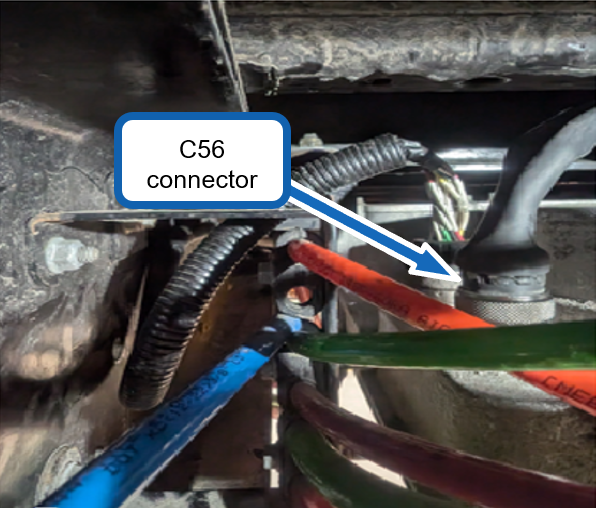
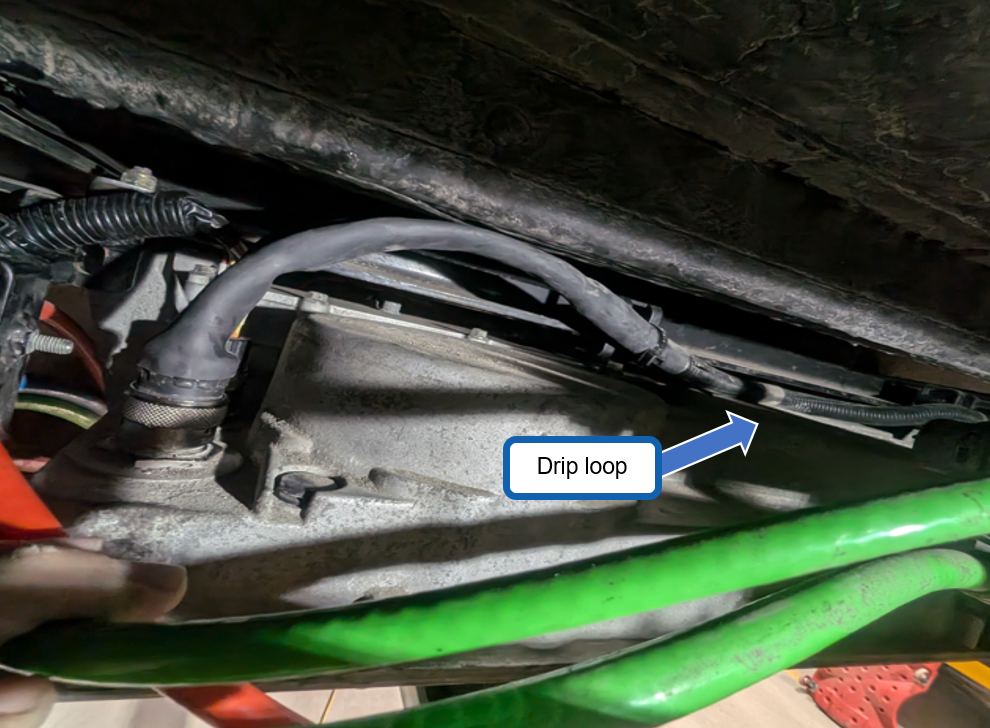
- Inspect the harness routing along the crossmember and confirm there is a drip loop (Figure 5) so water can’t progress toward the connector
(see TB-0373_00_A for proper routing).
- Disconnect the C56 connector from the MCU. Inspect the internal condition of the connector and its pins; no corrosion at all can be present. If there is any trace of water, dirt or corrosion, take photos of the connector and send them to Lion Techline. Then, clean the connector, add dielectric grease and reconnect it to the MCU.